Loading a track, hitting play, sitting through the whole thing just to drop your markers. Again and again. Sounds painfully familiar, right? "AI Markers" button reads the song structure and lays the markers down in seconds. You just fine-tune. Everything runs locally — your audio never leaves your machine. No need for uploads, cloud or per-track fees.
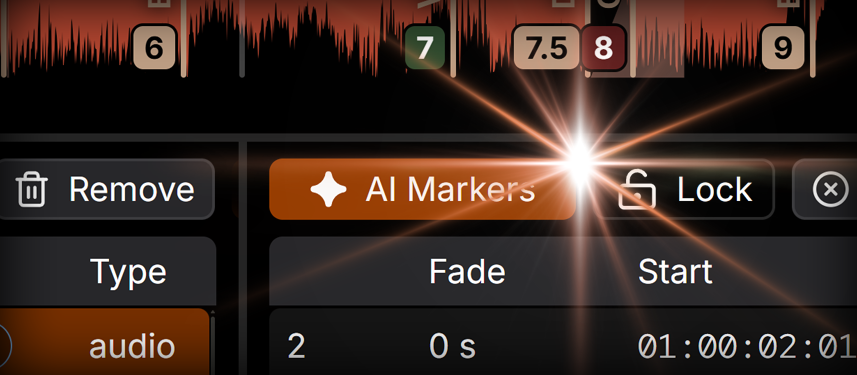
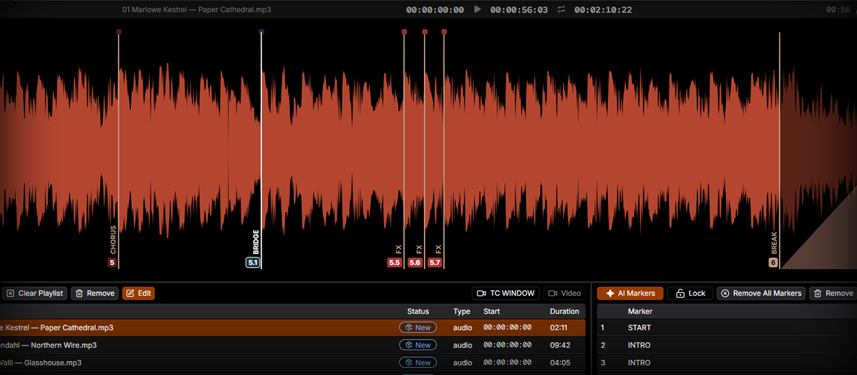
Create, delete, move. Drag one marker or grab a whole group and move them together. Duplicate a single marker or clone an entire selection. Renumber the lot with one command, rename on the fly. Need a fade? Just drag the marker's top and set it right on the waveform. Whatever you need to do with markers, it's already here — no missing buttons you swear should exist.
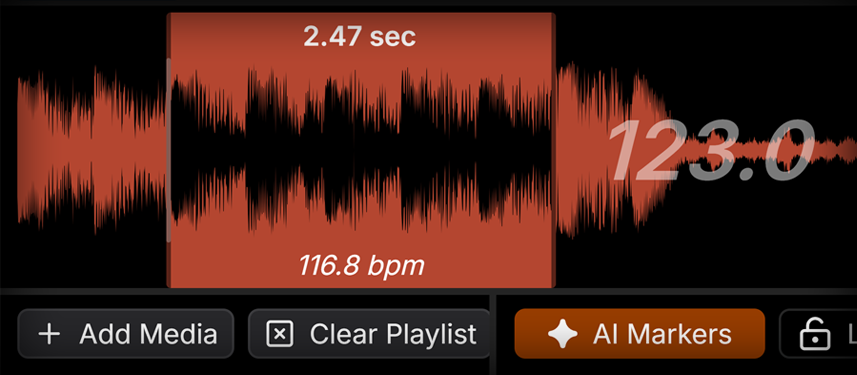
TCPLAYER reads the tempo of your whole track automatically — forget about tapping. Select a section and it'll give you the BPM of just that part. It's fast, it runs in the background, and it's ridiculously accurate.
MIDI Timecode, LTC, Art-Net — TCPLAYER speaks them all, and Art-Net's in there too, just in case your rig needs it. Run at 24, 25, 29.97, or 30 fps. Everything is built strictly to spec. When your console locks to TCPLAYER, it stays locked.
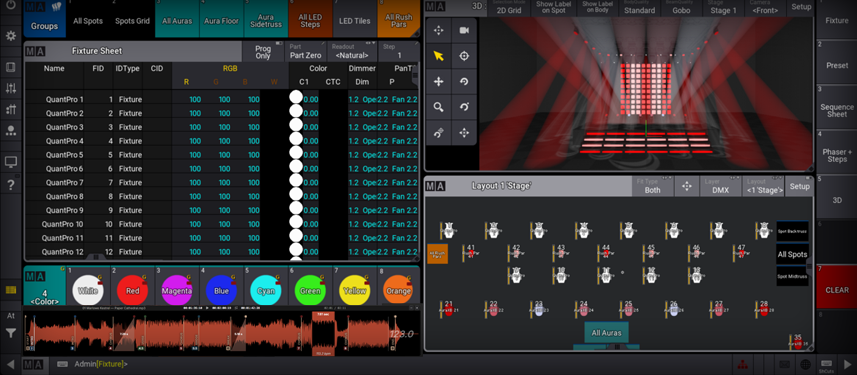
Let's be honest about Reaper — it's a full DAW pretending to be a timecode tool. Strip every panel you want, it still won't shrink down to just a waveform. TCPLAYER will. Compact Mode drops the track list, the marker table, everything — it leaves nothing but the waveform, resizable down to any size of your liking. Working on a laptop where your lighting software is occupating the whole screen? Float TCPLAYER on top, tuck it into any empty corner of your programmer's layout, and run timecode without a second monitor or endless window-switching.
Got a video track running the LED walls? Pop it out into its own window that floats over everything, always in sync with your session. Now you can catch that flash, that spin, that moment in the footage — and mirror it in your lighting. Because sometimes the music isn't the cue, the video is. Watch it, hit it, and the whole room moves together.
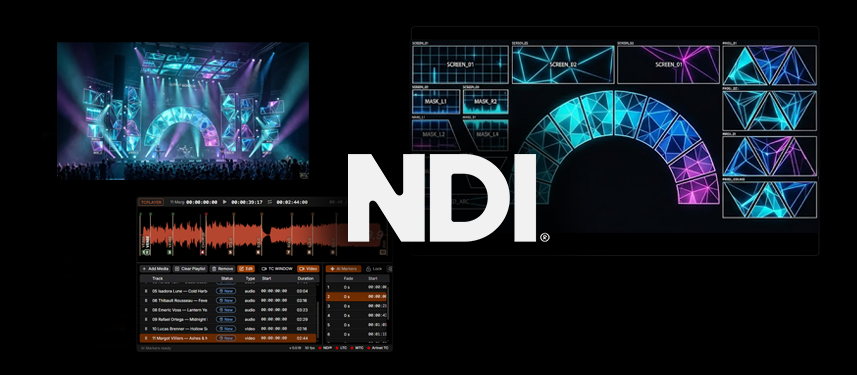
And it goes further. TCPLAYER can push that video out over NDI® - send the feed straight into your visualizer. Working in Capture, Depence, or WYSIWYG? Receive the NDI® stream and map it right onto your screen models, so what plays in TCPLAYER shows up textured on the virtual LED walls. You don't even need the window open — close it, keep the NDI® stream running in the background, and your visualizer stays fed. Preview and program against exactly what the audience will see.
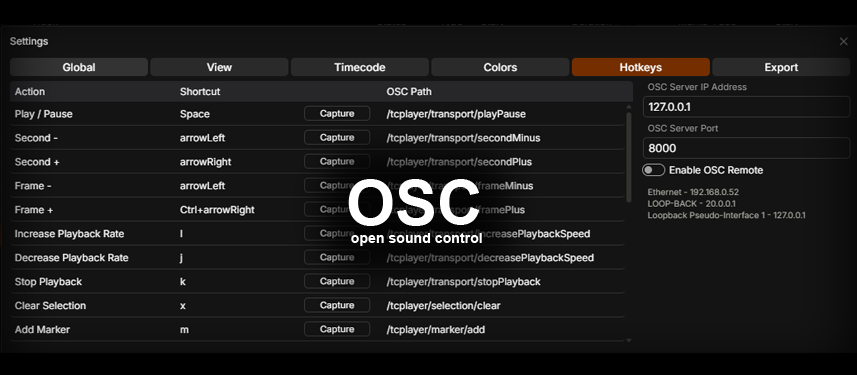
A wall of buttons isn't a professional tool — it's just a clutter. Lighting designers live on their console keys, so TCPLAYER does the same. Play and loop stay on screen; everything else is a keystroke away. And every single action carries an OSC path. Want to run TCPLAYER from a Stream Deck? Lay out your buttons, point them at the OSC paths, and you've built yourself a dedicated control surface — a hardware panel that does exactly what you want, exactly how you work.
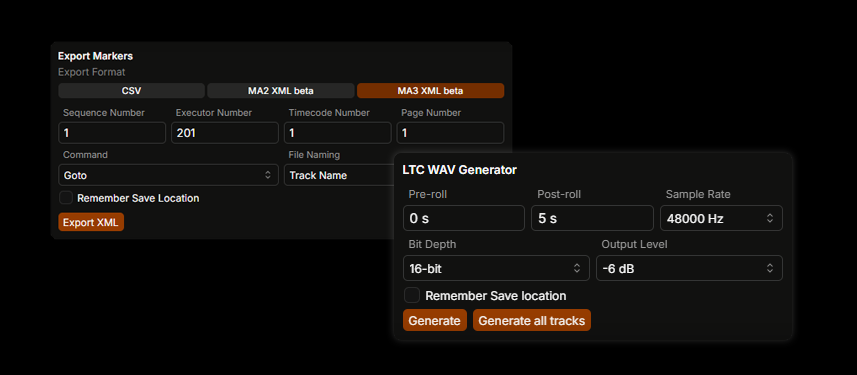
You've built the perfect marker set — now get it into your console. Sure, you can put them in by hand (and yes, click the timecode readout to copy the playhead position straight to your clipboard). But the pro move is export. CSV if you want it raw, or dedicated formats built for grandMA2 and grandMA3 consoles.
And there's the LTC WAV generator. No more hopping to some online service to render timecode files — TCPLAYER does it in-house. Generate LTC for a single track, or batch the entire playlist in one go.
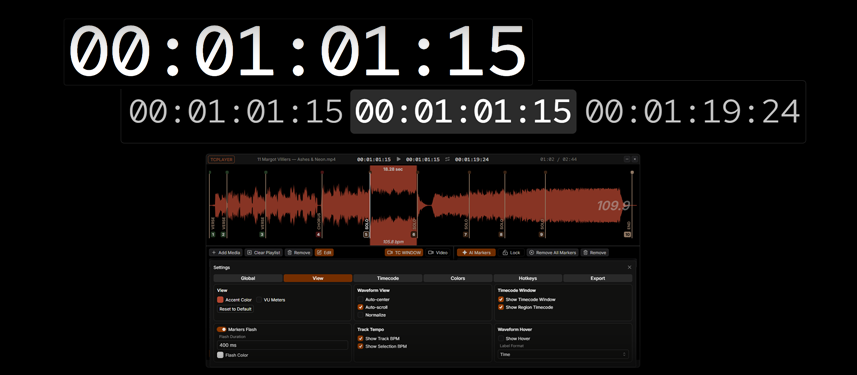
Pop out the timecode into its own window and blow it up as large as you like — huge for showing a room, or right-sized for yourself. Configure what it shows: just the playhead, or add the in and out of your selection when you need to know exactly where a section starts and ends.
And the moment you select a region, TCPLAYER shows you its length. Handy when you're setting follow times in your console — the kind of cue where you punch in a follow instead of a timecode. Select the part, read the time, dial it in.